


Slash commands
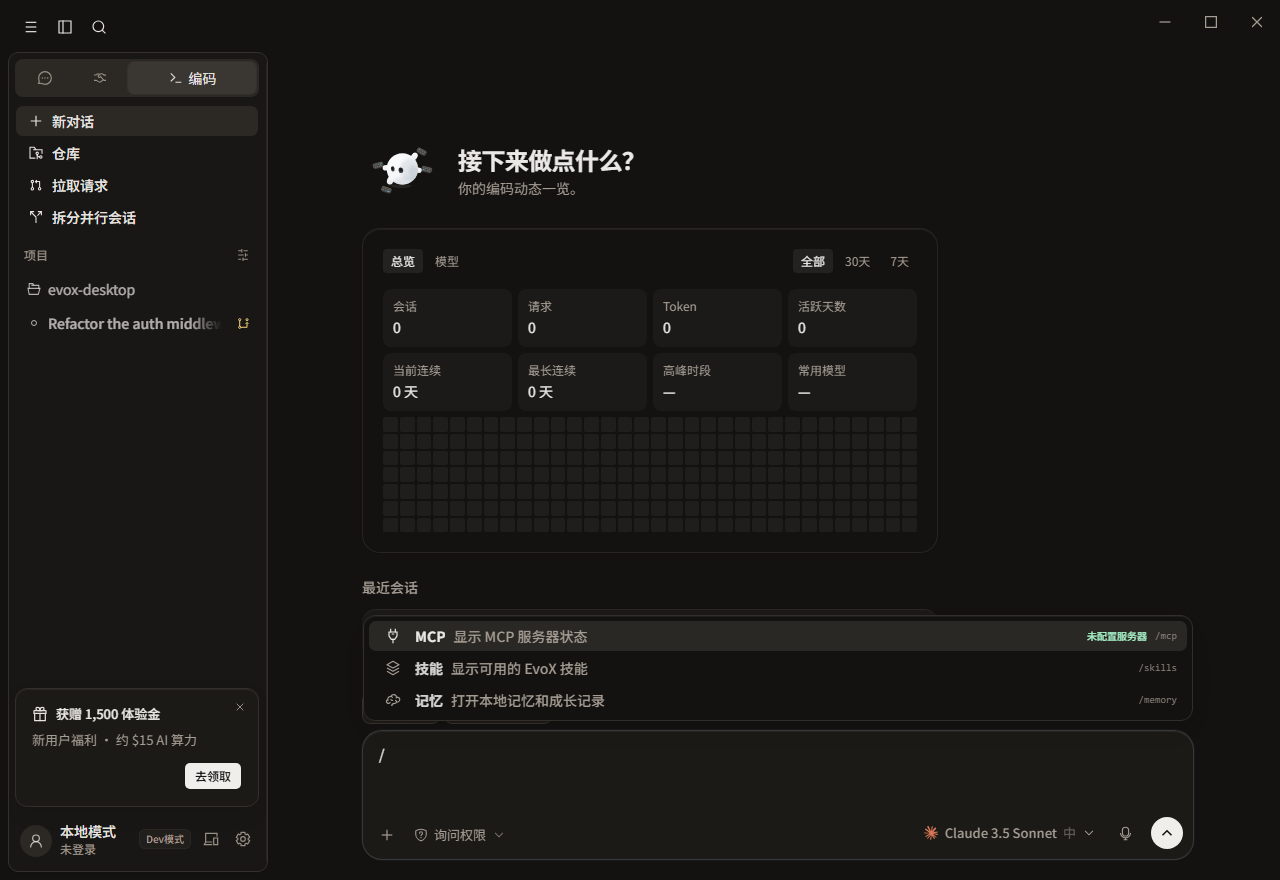
Type / in a Chat or Code composer to open the command list. Continue typing to search; use arrow keys to move and Enter or Tab to choose. Each mode exposes a different inventory.
Chat
| Command | Action |
|---|---|
/mcp | Open MCP servers and connection status. |
/personality | Open output-style customization. |
/review | Insert a review request. |
/side | Ask a side question without replacing the main task. |
/compact | Compact an existing conversation; hidden before context exists. |
/feedback | Draft product feedback. |
/quick | Use a quick-answer prompt. |
/model | Ask about models or switch one in supported IM conversations. |
/spawn | Request delegated or split work. |
/evolve | Start an evolution-related request. |
Desktop IM conversations can also expose /reset and /help according to their session type.
Default Code shelf
Bare / starts with /mcp, /skills, /review, /compact, and /memory. Other commands remain searchable.
Code work and views
| Command | Action | Requirement |
|---|---|---|
/plan | Switch to plan permission mode and optionally include a task. | None |
/review, /security-review | Review current changes. | Workspace |
/diff, /commit | Open the diff view or prepare a commit. | Git workspace |
/terminal, /preview, /browser, /files | Open a tool view. | Some require a workspace |
/github, /issue, /tasks | Open repository and task surfaces. | Repository or connection |
/doctor | Run local diagnostics in the terminal. | Local environment |
/copy, /export, /share, /recap | Copy, export, share, or summarize the conversation. | Current conversation |
/retry, /abort, /reset, /clear, /new | Control the run or conversation lifecycle. | Command-specific |
Session, permission, and runtime
| Command | Action |
|---|---|
/resume, /rename, /rewind, /checkpoint | Resume, name, rewind, or checkpoint a session. |
/branch, /fork, /tag | Hand branch, fork, or tag intent to EvoX. |
/ask, /smart, /accept-edits, /auto, /bypass-permissions | Select a permission tier. |
/skills, /agents, /hooks | Open skill, subagent, or hook management. |
/goal <goal>, /loop <request> | Create a long-running goal or loop request and accept arguments. Active-goal state and lifecycle are managed by the goal tools. |
/write-goal <intent> | Use the built-in write-goal skill to turn a rough intention into a completion contract, then start a goal. |
/cost, /release-notes, /upgrade | Open usage or advanced settings. |
Experience commands
/capsule save, /capsule publish, and /pack list|new|apply|publish|discover|suggest|advice|install|clear operate on reusable experience. Saving, local application, and network publication are different effects and should be reviewed separately.
Immediate versus handed-off commands
Opening a panel, switching permission, or stopping a run is handled locally. /goal, /branch, and /fork hand intent to EvoX and show a handoff cue. Hidden login, exit, or teleport commands should not be forced by manual typing.
EvoX Docs · Features · Reference